

- Stock: In Stock
- Product code: Artec Studio Perpetual
- Weight Brutto: 0.10kg

More from this brand

-60x60w.jpg "3D scanner Artec Leo")

-60x60.jpg "3D scanner Artec RAY II")
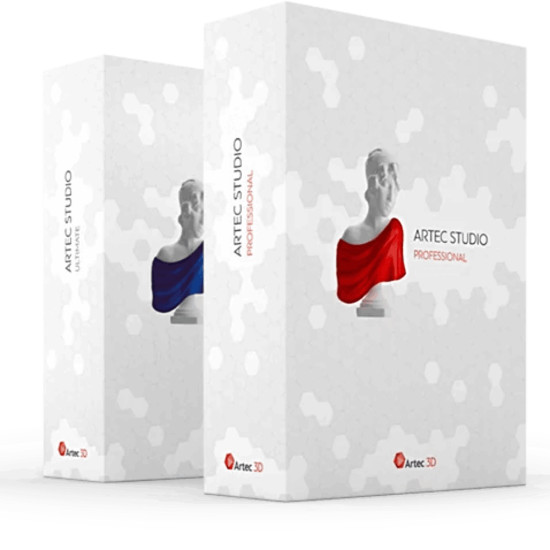
Professional Software for 3D Scanning Artec Studio Perpetual License
A perpetual license for Artec Studio software will allow you to use the 3D scanning program indefinitely. Artec Studio is industry-recognized software. It is designed for professional 3D scanning and data processing. The manufacturer is constantly working to improve the performance of the 3D scanning program. The goal is to speed up the processing of 3D scans while maintaining a high level of accuracy. Artec Studio includes advanced 3D data processing algorithms. These algorithms ensure high accuracy of results. Thanks to this, 3D scanning becomes intuitive and user-friendly.
Accurate 3D Modeling Made Easy
Artec Studio offers an "Autopilot" function. This is an advanced mode. It helps users perform 3D scanning and data processing in a few simple steps. The user needs to answer questions about the scanned object. Then, advanced Artec 3D visualization software selects the most efficient 3D algorithms for scanning. Based on the obtained data, an accurate, ready-to-use model is created.
Key Features of Artec Studio
Colors You've Been Looking For: Artec Studio offers a range of advanced automatic tools. Among them are improved color rendering and automatic removal of reflections from models. Users can create vibrant color 3D models. These models are fully ready for 3D printing and CGI.
High Accuracy: Artec Studio ensures high accuracy regardless of the selected mode. The user can choose the easy-to-use "Autopilot". A manual mode is also available for full control and flexibility. The software provides all the necessary tools. They allow achieving high accuracy.
Time Savings in Quality Control: Artec Studio now offers fast measurement and analysis of triangular meshes for CAD models. Models obtained in Artec Studio are fully compatible with Geomagic Control X. This is advanced software for enhanced quality control.
Built for Speed: Artec Studio has always been developed with a focus on speed. The program is equipped with modern and powerful algorithms. They allow processing data in seconds.
Scan to CAD: Artec Studio accelerates engineering work. This is achieved by matching primitives with a 3D model and precise positioning. Users can export STEP files directly to SOLIDWORKS. It is also possible to export complex meshes to Design X or Geomagic for SOLIDWORKS.
Create and Process Huge Datasets: Artec Studio allows working with datasets containing up to 500 million polygons. This makes the program ideal for scanning large objects. It is also possible to create 3D models at maximum resolution.
Easy Scanning with Artec Studio Software
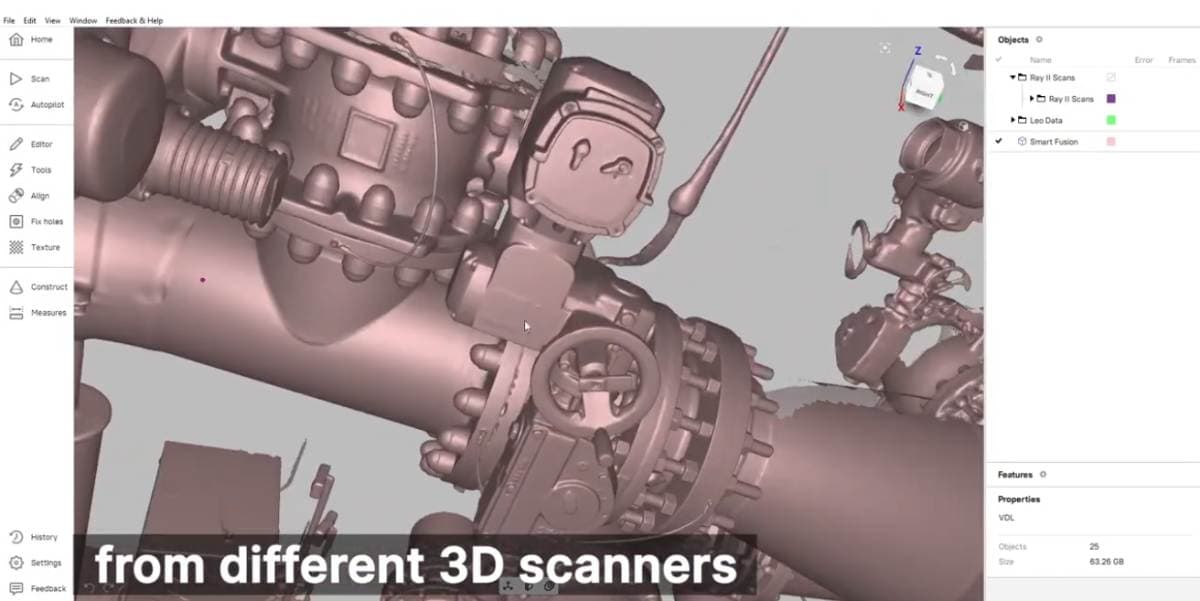
Modern software for 3D scanning and data processing plays a crucial role. It ensures smooth and efficient operation. The program controls the data collection process by the scanner and determines the accuracy of this process. Artec Studio is equipped with advanced algorithms and functions. They guarantee high accuracy of the results. Thanks to this, 3D scanning becomes intuitive and convenient.
The "Show Distances to Colors" function in Artec Studio simplifies the scanning process. This option helps keep the scanner at the required distance from the object. The obtained three-dimensional data is displayed in green on the screen in real-time. If the scanner is brought too close, the data will turn red. If the scanner is too far away, the color will change to blue. Maintaining the optimal distance ensures the best scanning results.

Advanced Algorithms for Fast and Intuitive Scanning
- No need for preliminary preparation of the object. The user can simply connect the scanner and start scanning.
- Best-in-class texture and geometry tracking algorithms ensure fast and smooth scanning.
- The automatic continuation function allows pausing scanning and resuming it from the same place.
- Intuitive algorithms make it easy to scan black, shiny, or small objects.
- The Smart Base Removal function automatically removes the base of the model, even if the surface is curved. This eliminates the need for additional data "cleaning".
- Artec Studio 15 analyzes the surface of the object. The program automatically adjusts the sensitivity of the scanner. This allows capturing even difficult-to-scan areas. Thanks to this, even novice users can easily digitize black, shiny objects and hair.
Scanning on Mac
Mac users can use the free standalone ScanApp. It allows performing high-quality and accurate scanning. The application works independently of the Artec Studio installation via Bootcamp. ScanApp has a simple and ergonomic interface. Users can perform basic model processing in ScanApp. Then, the results are exported for more detailed processing in Artec Studio on a Windows PC or Mac via Bootcamp.
Fast, Automated Data Processing
Artec Studio offers new automatic data processing features. They expand user capabilities and open up new perspectives. These features will be useful for both beginners and experienced users looking to speed up their workflow.
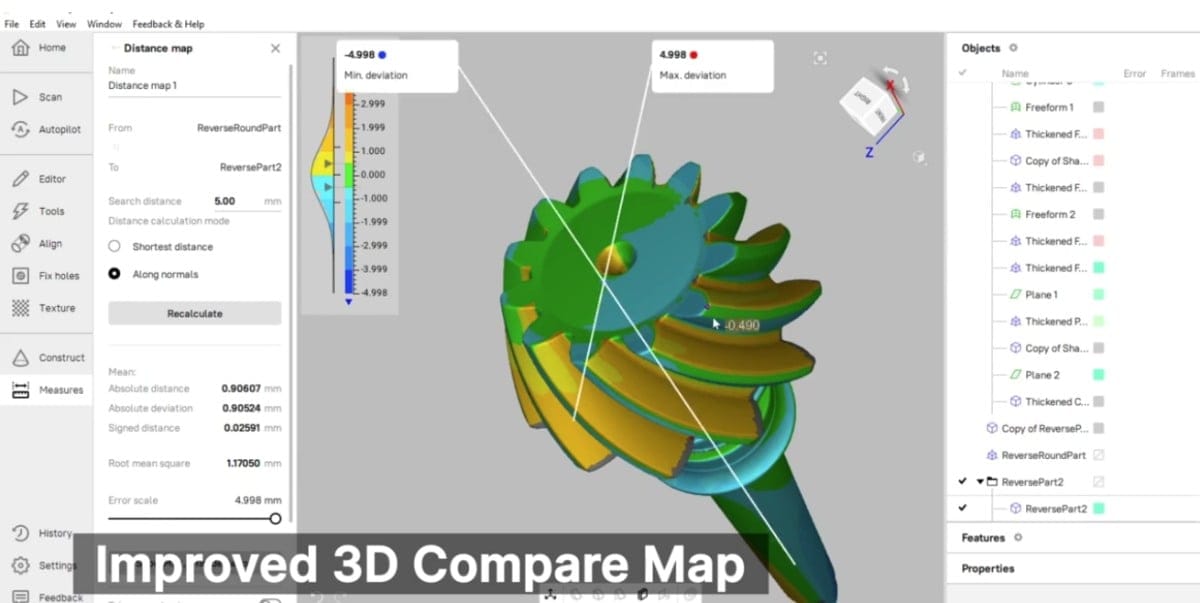
Autopilot Mode: Uncompromising Accuracy
Artec Studio 15 Autopilot allows obtaining an accurate, closed model in four simple steps. This model is fully prepared for 3D printing, 3D animation, or reverse engineering:
- Step 1: The user answers a few questions about the object and the required type of 3D model.
- Step 2: Unnecessary scanned data is removed.
- Step 3: Automatic data alignment is performed with one click.
- Step 4: Autopilot selects the optimal data processing algorithms.
- Result: Accurate 3D model. Autopilot automatically selects the best algorithms to achieve the best end result.
Autopilot is an ideal feature for novice users. It also significantly saves time for experienced professionals.
Manual Scanning Mode
Artec Studio offers a wide range of tools for manual 3D model processing. This provides complete control over the data. The program is equipped with many features that optimize the workflow and allow obtaining the desired results faster.
HD Mode in Artec Studio
- The latest AI-based scanning technology provides incredibly clear and detailed scans. The Artec AI neural engine allows obtaining 3D scans with a resolution of up to 0.2 mm and minimal noise level.
- HD mode allows scanning small and thin elements with high detail. Edges and hard-to-reach areas are scanned with improved results. They are reconstructed while preserving all surface details.
- Scanning dark or glossy surfaces in high resolution has become easier. HD mode does not require additional actions.
- The Artec AI engine ensures a minimal level of noise in the raw data. This leads to cleaner processing and time savings when creating the final 3D model.
- Scanning hair, which was previously challenging, has become more accurate in HD mode. The program allows capturing more geometry of short hair and individual strands.
- Users can easily switch between the basic SD scanning mode and HD mode. HD mode provides an additional level of resolution and scanning quality.
SD mode is suitable for situations with limited time, no need for high geometric accuracy, outdoor scanning, or low battery. HD mode allows turning Artec Eva or Leo into a more powerful and versatile 3D scanner. It provides capture of small details and complex angles in less time and with perfect geometry.

Smart Base Removal
The Smart Base Removal function automatically removes the base on which the object was scanned. There is no need to manually remove the table, base, or floor.
Fast and Accurate Scan Alignment
Automatic data alignment helps process data quickly and easily. Now, 95% of objects can be aligned with one click with high accuracy. The process takes a few seconds. This saves time when processing both small and large projects.
Texture Application
Artec Studio allows quickly adding high-quality texture to a 3D model.
Mesh Simplification
The mesh simplification function allows optimizing the size of the final file. The number of polygons is reduced from millions to thousands while maintaining high mesh quality.

-250x250.jpg "3D scanner Artec Eva")
-250x250w.jpg "3D scanner Artec Leo")
-250x250.jpg "3D scanner Artec Leo")
-250x250.jpg "3D scanner Artec RAY II")
-250x250.jpg "3D scanner Artec RAY II")

(1)-250x250.jpg "3D scanner Artec Spider II")


-250x250.jpg "Software for 3D scanner QuickSurface Lite")
-250x250.jpg "3D scanner Artec Point")
-250x250.jpg "3D scanner Artec Point")